
If subscriber wants to opt-out from receiving your emails or SMS you have an option to add them to Suppression list and they will be excluded from the future sends automatically.
Note:
SMS contact that texts STOP or Unsubscribe will automatically added to the suppression list.
Email contact that clicks on Unsubscribe link in the email will be automatically added to the suppression list.
To add contact (phone/email) to the suppression list, follow these steps:
Step 1: Log in to your Umbrella account. Click on the top right corner and go to Integrations.
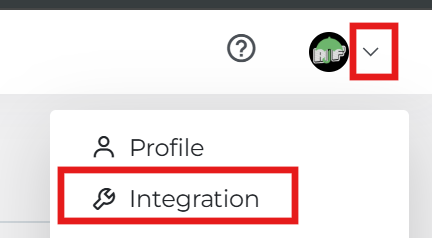
Click on the Suppression List tab on the Integrations page.

Step 2: Select the channel from the drop-down menu (Email or SMS).
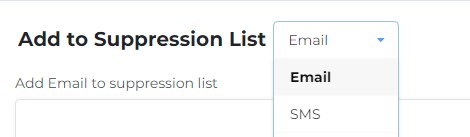
To add one contact (email/phone) use the field at the top.
SMS
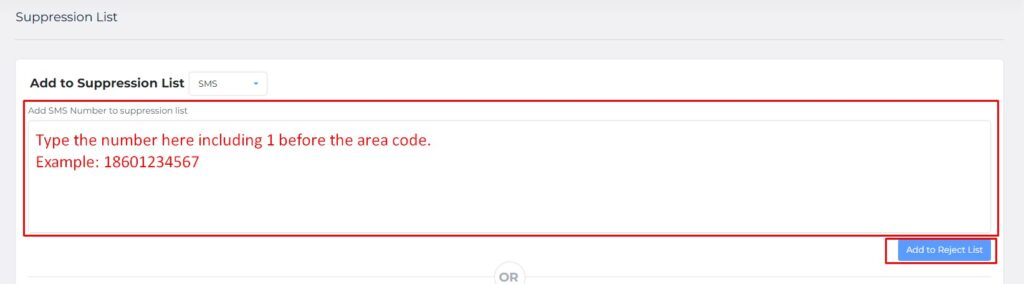
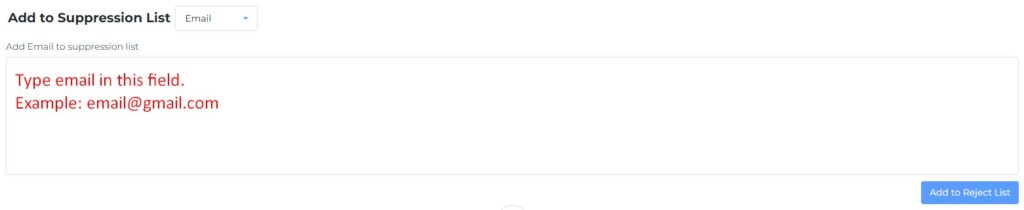
To add a CSV list of suppressed contacts please use the upload field.
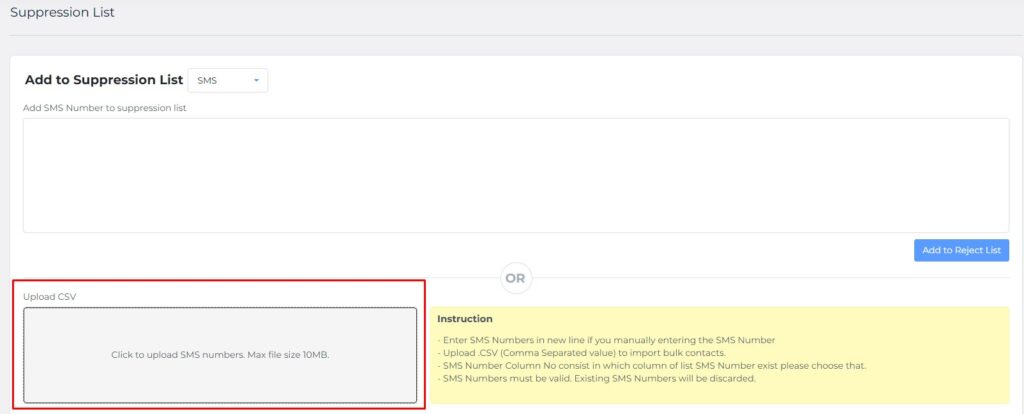
Suppressed contacts will show below the “Upload CSV” field.

Comments are closed