
To export the unique click data from SMS marketing campaigns follow these steps:
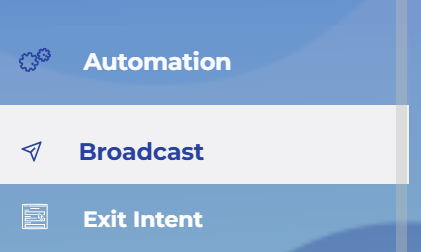
1. Log into your Umbrella account and go to the Broadcast section.
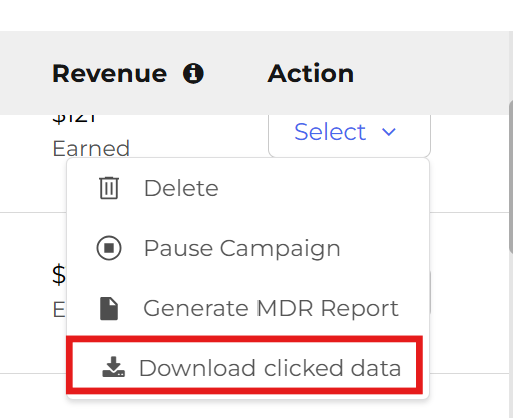
2. On the far right of the Broadcast Dashboard, click on “Select” under Actions. Select “Download clicked data” option from the dropdown menu.
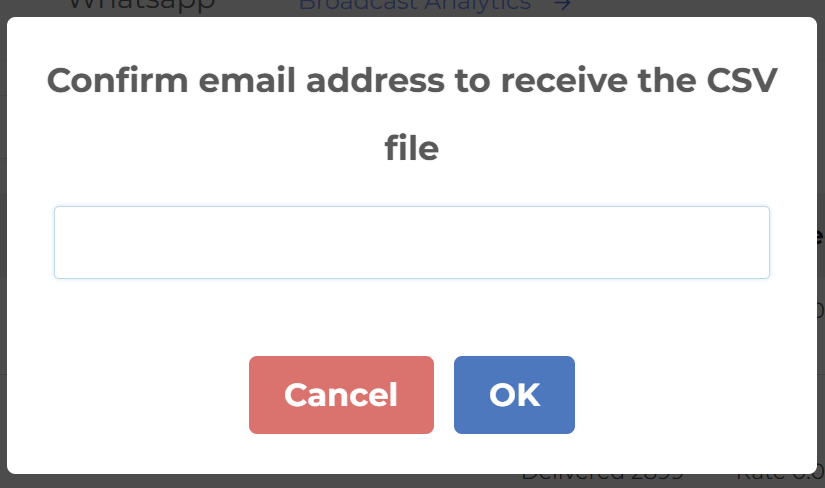
3. The window will open to confirm email address. Type your email address and click “OK” button.
4. You will receive the CSV file with phone numbers of unique clicks in your email inbox.
Each phone number shows up only once even if the user clicked on the SMS multiple times.
The CSV file can be used to send SMS Broadcast to the engaged users.
For purchase reporting alongside click data, see how Umbrella SMS revenue attribution works.

Comments are closed