
This guide walks you through connecting your Lightspeed account to Umbrella and authorizing access. For an overview of capabilities, explore the Umbrella Lightspeed integration.
Prerequisites
- An active Umbrella account.
- Admin access to your Lightspeed account.
Connect the Integration:
Step 1: Log in to your Umbrella Dashboard (https://app.tryumbrella.com/)
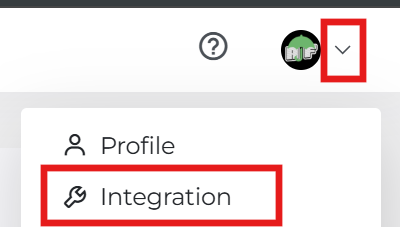
Step 2: Navigate to the Integration page via the left-hand sidebar.
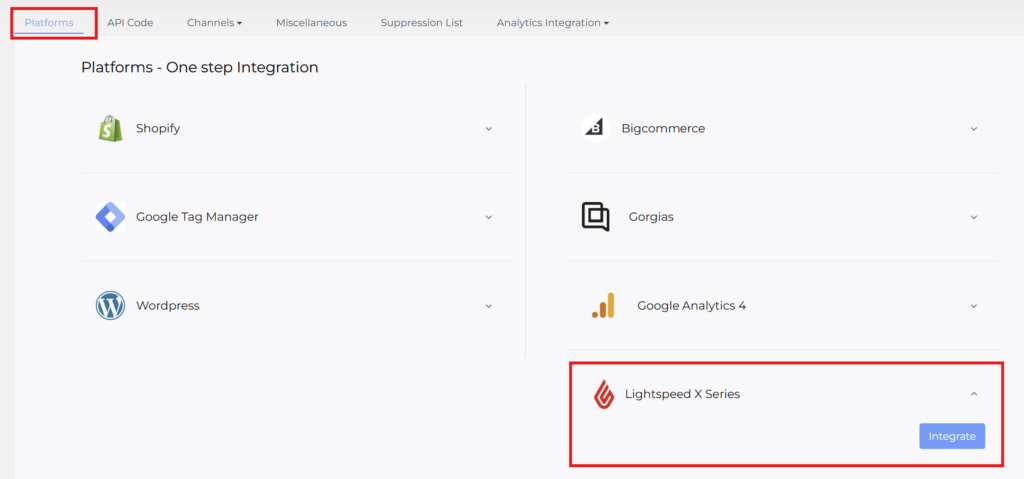
Step 3: Locate the Lightspeed card under the platform list. Click the purple Integrate button. Note: You will be redirected to the Lightspeed login page.
Step 4:
- Enter your Lightspeed credentials if prompted.
- When the permissions screen appears, click Connect.
- The system will automatically redirect you back to Umbrella once the connection is successful.

Comments are closed